
UDisc Disc Golf App
UDisc LLCSports
4.84.93K Reviews
- Version
- Varies With Device
- Installs
- 1.00M
- Age Rating
- Everyone
Screenshots
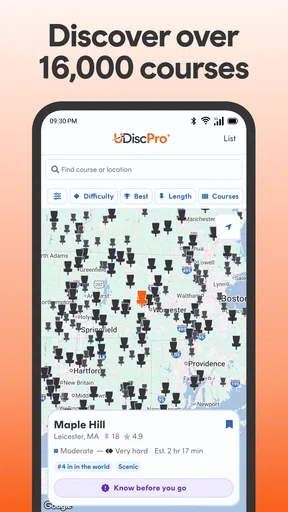
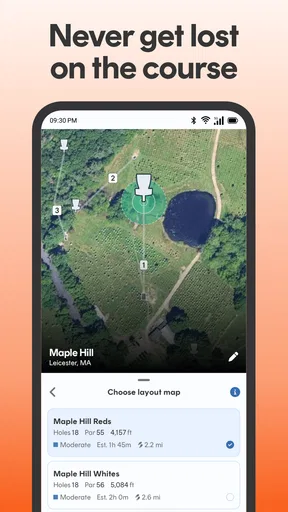
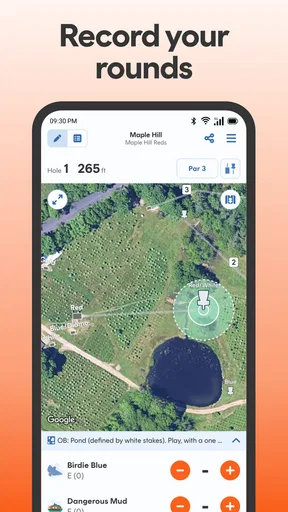
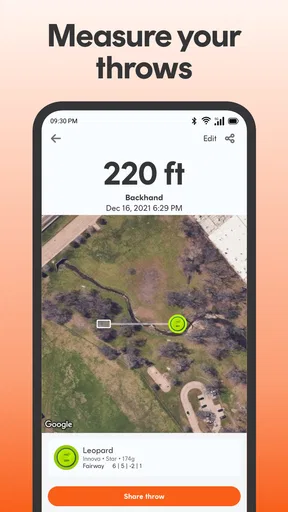
Our Review of UDisc Disc Golf App
 Analysis by Appyee
When disc golf is new to you, it is easy to get excited about every course, every throw, and every chance to see whether your score is improving. UDisc Disc Golf App brings several useful parts of that routine together, so the first round with it can feel like a tidy upgrade from paper notes and a quick web search. What matters more to me, though, is whether it stays useful once the novelty wears off. For regular players, I think it can earn a lasting place; for occasional players, its value depends on whether they actually use the course-finding and record-keeping tools between rounds.
Why it clicks during the first week
UDisc is a free sports app from UDisc LLC, and its central appeal is easy to understand: it helps with the practical decisions around a round, not just the score at the end. It has a 4.8 average from around 60,000 ratings, and more than a million installs. Those figures suggest that it has found a broad audience, but the more useful test is whether its tools fit the way you play. I found the combination of course discovery and scoring more compelling than either feature on its own.
Imagine you have an hour free after work and want to play somewhere new. Instead of searching separately for a nearby course, trying to work out what it is like, and then remembering to bring a scorecard, you can use the app as a starting point for planning and keep the round in the same place. That kind of convenience is especially useful when you are visiting an unfamiliar area or introducing a friend to the sport. It makes the first few uses feel immediately practical rather than like homework.
The app is rated for Everyone and is free to download, which makes it easy to try without committing to a paid download. In-app purchases are listed at $29.99 per item, so it is sensible to check what a particular purchase covers before spending. The app dates back to Mar 11, 2012, and its minimum OS requirement is 9. That long presence gives the product a mature feel, although a mature app can still be more tool than every player needs.
What keeps it useful from round to round
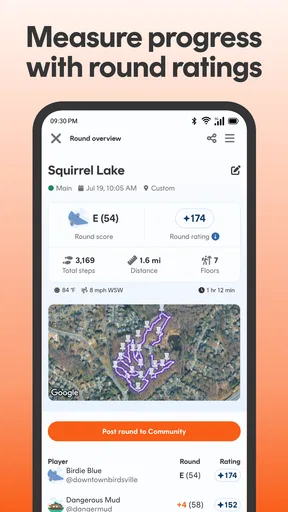
The lasting value is in building a record that is more useful than a single score. Saving rounds gives you a way to look back and notice patterns rather than relying on a vague feeling that you played well or badly. My practical tip is to keep scoring consistent: use the same approach to recording your rounds, and review them after several outings instead of judging your progress from one unusually good or rough day. A handful of comparable rounds can tell you more than a single personal best.
Throw measurement and statistics can also add a training angle, but I would treat them as clues, not a verdict on your ability. A measured throw is most useful when you compare similar conditions and focus on repeatability. If you try to use one big distance as proof that a technique is better, changes in the course, wind, or your warm-up can muddy the comparison. The app can help you observe your play; it cannot decide which adjustment will work for your form.
For a casual group, a digital scorecard can reduce the small bits of friction that interrupt conversation: nobody has to hunt for a pencil, and players can check the running score rather than relying on memory. For a solo practice round, the same record can make the outing feel purposeful. I would not turn every round into a performance review, though. Sometimes the best use of tracking is simply to save the score and get back to enjoying the course.
Features That Stand Out
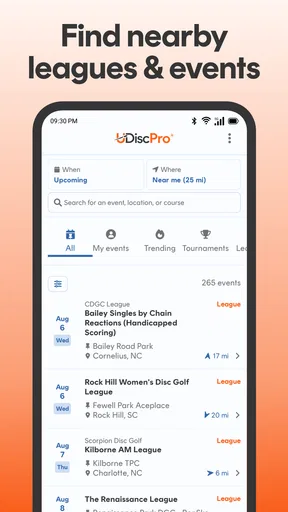
First off, the UDisc Disc Golf App is packed with features that cater to all your disc golf needs. One of the most impressive aspects is the course directory. With over 10,000 courses listed worldwide, you can find a spot to play no matter where you are. The app uses GPS to show you the nearest courses, complete with maps and detailed information. It’s like having a personal tour guide in your pocket!
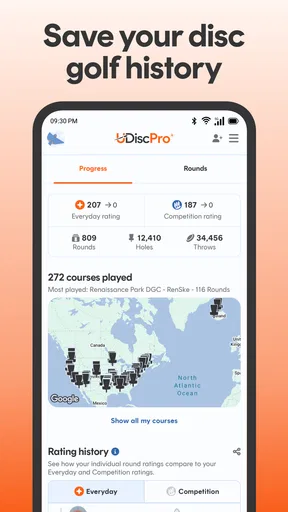
Another highlight is the scorecard feature. Gone are the days of scribbling on paper or trying to remember your scores. UDisc allows you to keep track of your scores digitally, which is incredibly convenient. Plus, it keeps a history of your games, so you can see how you’ve improved over time. It’s super satisfying to watch your scores drop as you get better!
For those who love stats, the app offers a variety of statistics and analytics to dig into. You can analyze your performance, track your progress, and identify areas that need improvement. It’s like having a coach who’s always ready to help you up your game.
Community and Social Features
One of the coolest parts of the app is its community aspect. You can connect with friends, compare scores, and even engage in friendly competitions. The leaderboards are a fun way to see where you stand against others, and they add a competitive edge to your rounds.
Moreover, the app allows you to share your rounds on social media, making it easy to brag about your latest ace or personal best. It's a great way to stay connected with other disc golfers and share your passion for the sport.
User Experience and Design
Now, let's talk about the user experience. The app is designed with a clean and intuitive interface, making it easy to navigate even for the less tech-savvy among us. The GPS maps are detailed and accurate, ensuring you never get lost on the course. I especially love how the app runs smoothly without any noticeable lag, which is crucial when you’re trying to keep up with your game.
The offline functionality is another big plus. You can download course maps and use them even when you’re off the grid, which is perfect for those remote courses with spotty cell service.
Where convenience can become clutter
The same features that make the app useful can also make it feel like more than a scorekeeper. If you only play a few times a year, a paper card or a basic notes app may be quicker, and you may not care about keeping a history or checking statistics. UDisc makes the most sense when you return to it: finding another course, saving another round, or using past results to shape a practice session.
There is also a small social trade-off. Comparing rounds and sharing results can be motivating when your group enjoys friendly competition, but it can pull attention away from a relaxed game if everyone starts treating every hole as a ranking exercise. I would use those features selectively: keep them for the group that likes a little rivalry, and leave them in the background when the point is simply to throw with friends.
Course information is helpful as a planning aid, not a guarantee that every visit will go exactly as expected. Conditions and access can change, so I would still check local signs or other current guidance before setting off for a course I have never played. The directory narrows the search; it does not remove the ordinary need to plan a trip sensibly.
Making it part of a practical routine
A low-effort habit is more likely to last than trying to explore every tool at once. Before a trip, look up a course and decide whether it fits the time you have. During the round, use the scorecard if you want a record. Later, glance at the history only when you have a question worth answering, such as whether your scores are becoming steadier. That sequence gives the app a job at each stage without turning a hobby into a spreadsheet project.
For a player who travels, course discovery may be the feature that keeps the app installed even during a stretch without regular play. For someone who always visits the same local course, scoring and records may matter more than searching. And for a newcomer, the clearest benefit is having a simple way to join a round without needing to know every convention in advance. The useful entry point will differ, so there is no need to make every feature part of your routine.
Compared with the usual alternatives, UDisc is more integrated than carrying a paper scorecard and searching for courses separately. Paper remains a good choice if you want zero phone distraction, while a basic notes app can be enough if all you need is a number to remember. UDisc earns its space when you want course discovery, digital scoring, and a longer view of your play together. If only one of those matters to you, the simpler option may be the better fit.
Is It Worth the Download?
So, is the UDisc Disc Golf App worth the download? In my opinion, absolutely. Whether you're looking to improve your game, find new courses, or just track your scores, this app has got you covered. It’s user-friendly, packed with features, and has a thriving community that keeps the fun going.
If you’re passionate about disc golf and want to enhance your playing experience, give UDisc a try. It might just become your new favorite app. Happy disc golfing!
My longer-term verdict is that it can justify its place on a phone, but only if it supports the way you already enjoy playing. I would recommend it most to regular players, curious newcomers, and anyone who often plays away from home. If you prefer to leave your phone in your bag, rarely revisit scores, or simply want a pencil-and-paper round, there is no need to force a digital routine. For me, the strongest reason to keep it is the combination: a course search before the outing, a scorecard during it, and a record to return to when I want a clearer picture of my game.
Verdict
Strengths of UDisc Disc Golf App
- Comprehensive course directory.
- Accurate GPS distance tracking.
- Social features for player connections.
- Detailed scorekeeping options.
- Offline maps for remote areas.
Limitations of UDisc Disc Golf App
- Limited features in free version.
- Occasional GPS inaccuracies.
- Some features require membership.
- Can drain battery quickly.
- Interface can be overwhelming.
Similar Picks in This Category
View All
BeSoccer: Soccer Live Score
BeSoccer apps4.3

Cricbuzz - Live Cricket Scores
Cricbuzz.com3.7

NFL
NFL Enterprises LLC2.4

Da Fit
MO YOUNG LIMITED3.6

ESPN
Disney4.5

LiveScore: Live Sports Scores
LiveScore Limited4.5
Frequently Asked Questions
What features does the UDisc Disc Golf App offer?
UDisc provides a comprehensive range of features designed for disc golf enthusiasts. These include detailed course maps, scorekeeping capabilities, and statistics tracking. Users can also explore course reviews, locate nearby courses, and participate in tournaments. Additionally, the app offers offline maps, allowing players to continue enjoying its features even without an internet connection.
Is the UDisc Disc Golf App free to use?
The UDisc app offers a free version with basic features suitable for casual players. However, for more advanced functionalities, such as detailed statistics tracking and offline maps, users can subscribe to the UDisc Pro version. This subscription provides a richer experience and is ideal for serious disc golfers looking to enhance their game.
How accurate are the course maps and GPS features?
The course maps and GPS features in UDisc are highly accurate, thanks to user-generated content and regular updates. Players can rely on detailed layouts and distances, making navigation through courses straightforward. Additionally, users often contribute to map accuracy by providing updates and feedback, ensuring the information remains current and precise.
Can I use UDisc Disc Golf App offline?
Yes, UDisc offers offline capabilities, allowing users to access course maps without an internet connection. This is particularly useful for playing in remote areas where network coverage may be limited. To utilize offline maps, users need to download the maps in advance, which is a feature available in the UDisc Pro subscription.
How does the scorekeeping feature work in UDisc?
The scorekeeping feature in UDisc is user-friendly and efficient. Players can easily enter scores for each hole and track their progress throughout the game. The app automatically calculates scores, averages, and other statistics, providing a seamless way to monitor performance. This feature is beneficial for both casual and competitive players, ensuring accurate and hassle-free score management.
